




The Fix Is Out. It’s an Emergency Update.
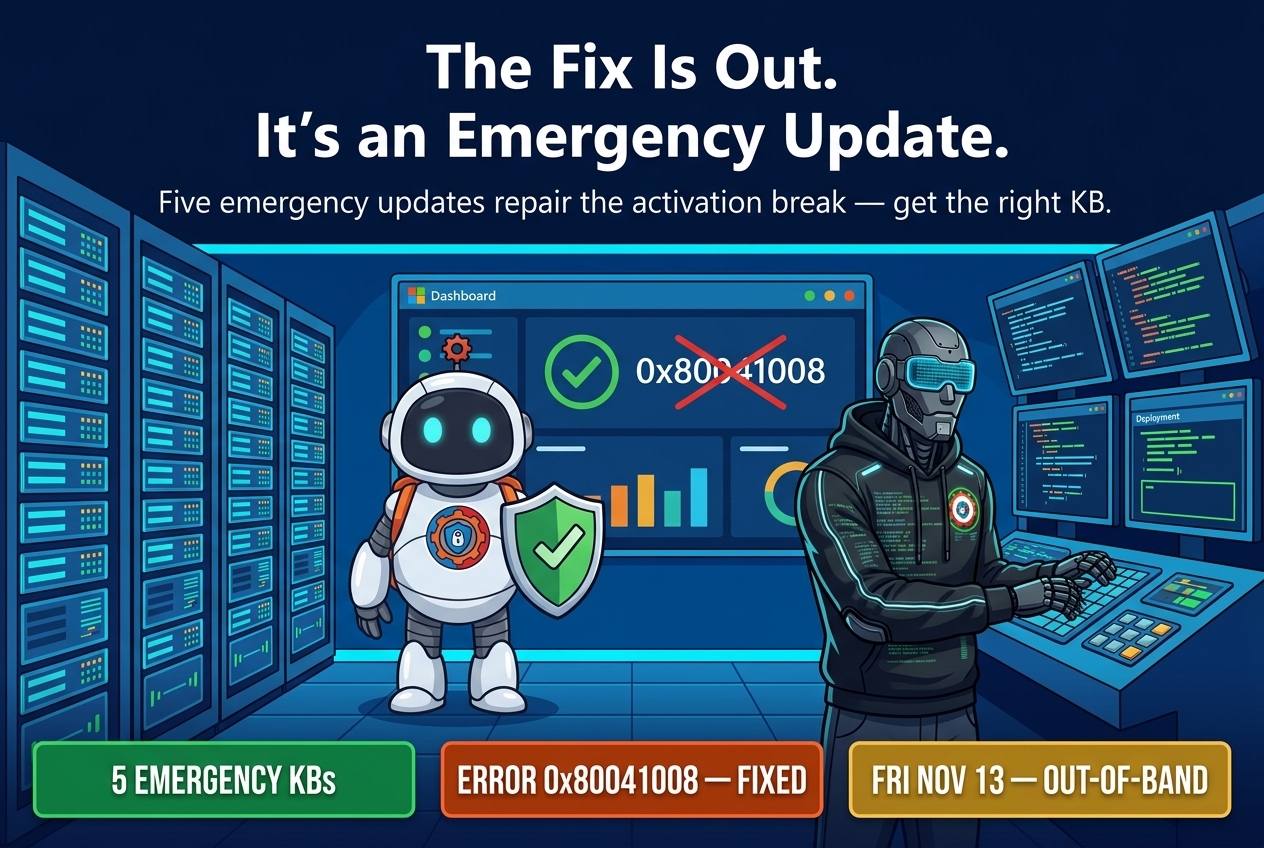
Microsoft has shipped the fix. On Friday, November 13, the company released emergency out-of-band updates that repair the Windows activation and licensing failures its November security updates caused. This is the follow-up to Patch Tuesday broke activation in the first place — the fix has now landed, and it came as an emergency update, not a Patch Tuesday.
What broke — and who it hit
The problem surfaced in a Microsoft service alert on Wednesday. The November 2026 security updates broke activation and licensing for organizations that use the Software Licensing Management Tool — SLMGR, the command-line tool IT teams use to automate activation. Affected systems hit error 0x80041008 when the tool tried to do its job.
The scope is narrower than the alarm might suggest. The failure only touches organizations that automate activation through SLMGR. Enterprise customers who do not use SLMGR, and who have the KMS client key installed in their image, are unaffected. Microsoft was explicit: devices that are already activated remain activated.
That said, for the shops that do rely on SLMGR, the breakage was real. Activation automation sits underneath imaging, provisioning, and license compliance — plumbing that only gets noticed when it stops working. A broken SLMGR means new deployments stall and license checks fail.

The five emergency updates
Microsoft released one out-of-band update per affected platform, all on Friday, November 13:
- Windows Server 2025 — KB5136489
- Windows Server 2022 — KB5136487
- Windows Server 2019 and Windows 10 Enterprise LTSC 2019 — KB5136490
- Windows 11 version 23H2 — KB5136483
- Windows 10 version 22H2 ESU and Windows 10 Enterprise LTSC 2021 — KB5136493
Each update is cumulative, and each one includes the November 2026 security improvements alongside the activation fix. Installing the emergency update does not roll back the security fixes — it carries them forward with the licensing repair on top.
How to get the fix
Where you fetch the update depends on which platform you run. For Windows Server 2025, Server 2022, Server 2019, and Windows 10, the emergency updates are available only through the Microsoft Update Catalog — they will not arrive through Windows Update on their own. Search the Catalog for your KB number, download the package that matches your architecture, and deploy it through your usual channel.
Windows 11 version 23H2 is the exception. Its optional out-of-band update, KB5136483, is available through Windows Update and the Microsoft Update Catalog. On a Windows 11 23H2 machine, head to Settings > Windows Update > Advanced options > Optional updates, where the update should be listed. Because it is optional, it will not install itself — someone has to choose it.

Four checks before you close the ticket
1. Confirm whether you actually use SLMGR. If your activation is automated through the Software Licensing Management Tool, you are in the affected group and the emergency update belongs in your deployment queue. If you do not use SLMGR and your images carry the KMS client key, Microsoft says you are unaffected — verify that rather than assuming it.
2. Check activation status on a sample of machines. Run slmgr /dli on a few representative systems — servers and new clients first — and look for error 0x80041008. Machines already activated should still show as activated; the ones to worry about are those that failed to activate after the November updates.
3. Grab the right KB from the right place. Match the KB number to the platform exactly — KB5136489 for Server 2025, KB5136487 for Server 2022, KB5136490 for Server 2019 and Windows 10 Enterprise LTSC 2019, KB5136483 for Windows 11 23H2, KB5136493 for Windows 10 22H2 ESU and Enterprise LTSC 2021. For everything except Windows 11 23H2, that means the Microsoft Update Catalog; for Windows 11 23H2, use Windows Update optional updates or the Catalog.
4. Verify the fix landed — and that the security fixes stayed. After installing, re-run your activation check and confirm the error is gone. Because these updates are cumulative and include the November security improvements, a successful install should leave the machine both activated and patched.
Why Microsoft moved this fast
Out-of-band updates are rare by design. Microsoft reserves them for problems that cannot wait for the next monthly cycle, and activation failures in enterprise environments qualify: they block deployments, break compliance reporting, and generate support tickets at scale.
This is also not the first time activation has needed a rescue. In January, Microsoft resolved a similar issue that caused Windows license migration failures during upgrades. The pattern is familiar — a servicing change touches licensing plumbing, enterprise automation notices first, and an emergency update follows. The November round adds to a rough month for Windows servicing: Microsoft has also acknowledged that Windows updates since the October Patch Tuesday are triggering SQL Server performance and stability issues, and that the November 2026 Windows 11 security updates fail to install on systems carrying the October 2026 preview update. Microsoft has already confirmed an automatic fix for that separate install failure, and the activation fix now joins it.
The lesson for IT teams is the usual one, sharpened: when a Patch Tuesday breaks something, watch for the out-of-band follow-up instead of rolling back the security update. The emergency update exists precisely so you do not have to choose between activation and security.