









Microsoft Confirms It. The Fix Is Automatic.
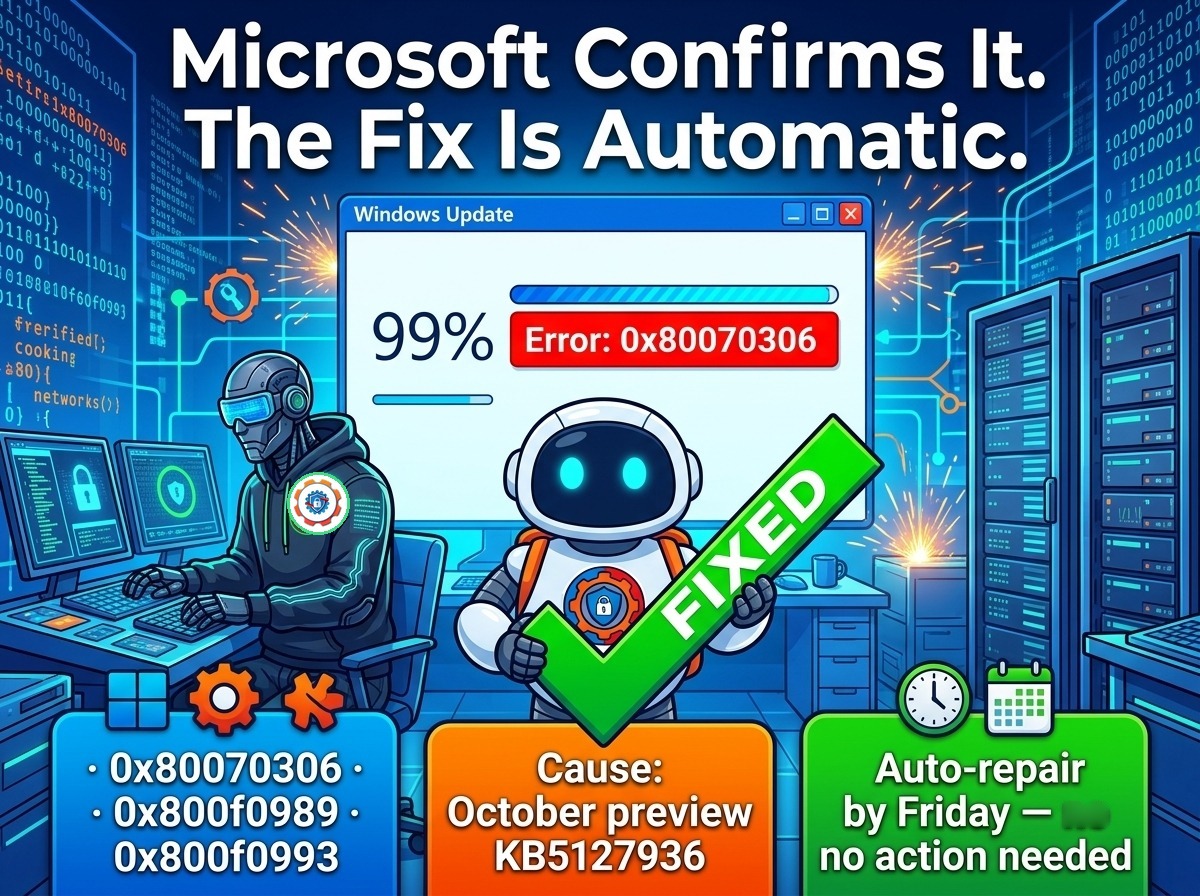
Microsoft has confirmed it. The November 2026 security update really does fail to install on some Windows 11 PCs — and the company says the fix is already rolling out on its own. No download, no workaround, no support call. If your PC is one of the affected ones, the repair lands by Friday morning, and the update installs itself after that.
Yesterday it was “investigating.” Today it’s confirmed.
Yesterday we reported that Microsoft was investigating reports of KB5132061 failing to install — the update would lock midway, usually around 99%, then fail with 0x800f0989 or 0x800f0993, and retrying did not help. At the time, Microsoft’s own support page still said it was “not currently aware of any issues.” That has now changed. In a service update seen by BleepingComputer, Microsoft confirmed the problem outright: “some devices might be unable to complete the installation” of the November 2026 Windows security update, and affected machines “might repeatedly attempt to install the update or display error code 0x80070306, 0x800f0989, or 0x800f0993.”
Confirmation matters because it changes the story from a pile of user complaints into an acknowledged defect with a named cause and a deadline. Until Microsoft says the word, every failed install looks like a problem with your PC. Once it does, it is a problem with the update — and the company owns the fix.
Who is affected — and who isn’t
The confirmation also names the cause, which yesterday’s reports could only guess at: the failures hit devices that installed the October 2026 non-security preview update, KB5127936. Devices that skipped that preview are not affected. Microsoft describes the scope as a limited number of devices — consistent with what users reported: dozens of complaints, not thousands, and a pattern (one user failed on four PCs, another on two virtual machines) that pointed at something those machines had in common rather than a broken update for everyone.
That distinction is the whole story. The November update itself is not broken; the October preview left those systems in a state the November installer trips over. If you never installed the preview, there is nothing to worry about. If you did, the installer locks midway, throws one of three error codes, and tries again — and fails again.

The fix comes to you
Microsoft’s message to affected users is unusually blunt: do nothing. “All affected devices should be repaired in 24 to 48 hours starting from November 11, 2026, 10am PT. Once your device receives the repair, it will automatically download and install the November 2026 security update via Windows Update.” In plain terms, a repair rolls out in the background, your PC picks it up, and then the update you have been failing to install installs itself. Microsoft’s own deadline is Friday morning.
There is one condition. If a machine is still reporting installation issues after 48 hours, Microsoft wants administrators to contact Microsoft Support rather than keep retrying or hunting for workarounds. The company asked for those reports specifically — the stragglers are the signal it still needs.

Third time this year
This is not the first time in 2026 that a Windows update has needed a fix for its own installation. In March, Microsoft pulled a buggy non-security preview update, KB5079391, after 0x80073712 errors during installation. In May, it fixed installation failures and 0x800f0922 errors on the May security update, KB5089549. In June, it warned that some devices upgraded to Windows 11 24H2 or 25H2 could hit 0x80073712 or 0x800f0993 errors installing the monthly updates.
The pattern is worth naming. Preview updates are Microsoft’s early releases — optional, aimed at enthusiasts and testers — and when one of them leaves a system in a state the next security update cannot handle, the failure lands on the very users who opted in earliest. The November update itself is worth having once the repair lands: it is the big Patch Tuesday release, 1,235 fixes across the portfolio, including one flaw that was already being exploited. Waiting for the automatic repair beats skipping the update.
What to do now
Almost nothing — and that is the point. Do not uninstall the October preview, do not reset Windows Update components, and do not chase the workarounds that circulated yesterday (one user reported that turning Windows Sandbox off fixed it for them; Microsoft’s repair makes that unnecessary). Just let the repair arrive: check after Friday that KB5132061 shows as installed in Settings > Windows Update > Update history. If it is still failing after 48 hours from November 11, 10am PT, that is the moment to contact Microsoft Support.
For IT admins, no fleet-wide action is needed. The repair is per-device and automatic; the useful check is a Friday-morning sweep of update compliance to catch the stragglers, then support tickets for any machine still erroring.
Yesterday’s story was a mystery with a vendor saying nothing. Today’s is a confirmed bug with a named cause and a fix that installs itself. The update still fails on the affected machines — until Friday, that has not changed. What has changed is that nobody needs to fix it by hand.