







One Letter Off. The Malware Moved In.
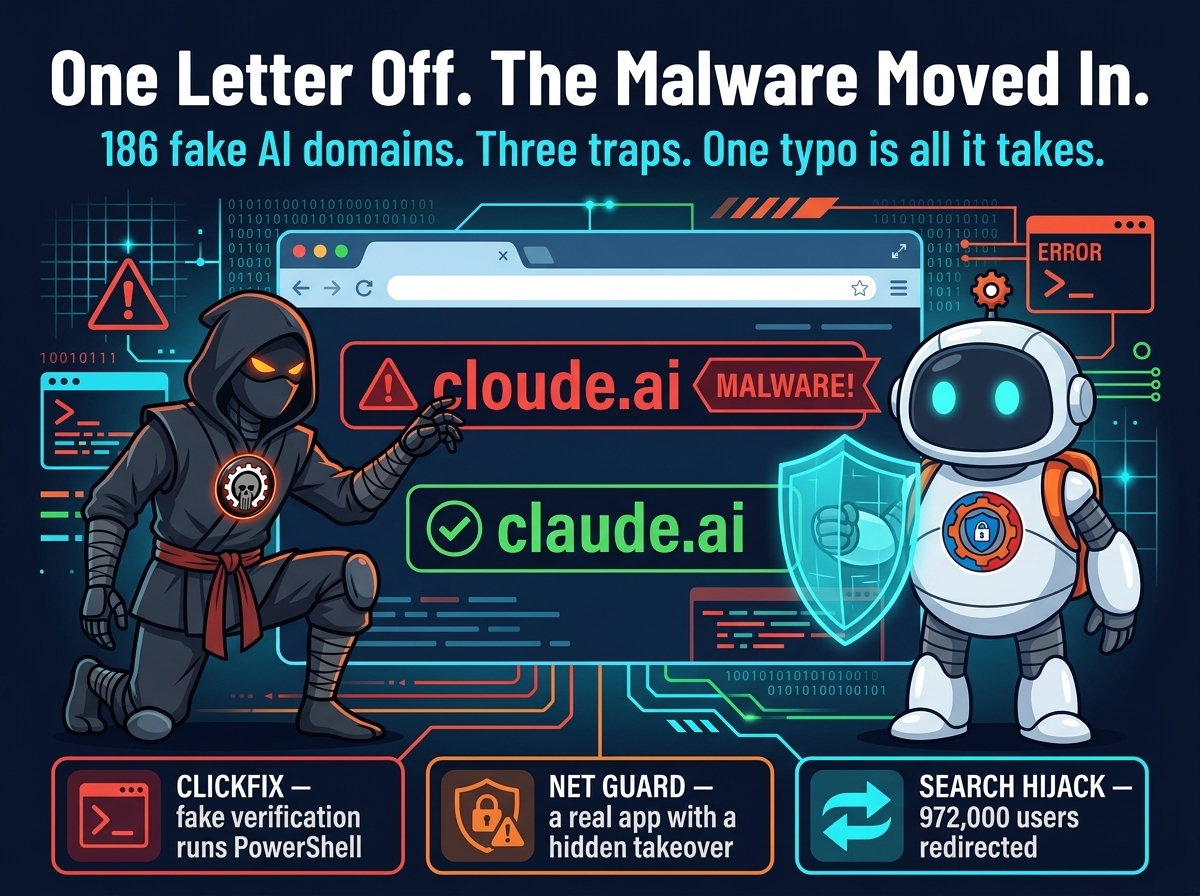
You meant claude.ai. You typed cloude.ai. One letter — and instead of your AI assistant, you got a fake verification page, a browser hijacker, or an extension that sells your searches to a stranger. Researchers at Island call the campaign TypoPrompting: 186 fake domains, 27 AI brands, and three traps behind a single mistyped address.
Three traps behind one typo
The first trap is the one most people will recognize. The parked page fingerprints the visitor’s browser, collects the public IP address, and then shows a fake Cloudflare verification page — the familiar “verify you’re human” box. The verification is a lie: on Windows it serves a PowerShell command to paste and run, on macOS a shell command, and on other visits an archive to extract and execute. Island found the same fingerprint gate running across 211 entry domains, including lookalikes of banks, insurers, and enterprise software — Scotiabank, Charles Schwab, Blue Cross Blue Shield, Verizon, ServiceNow, and Microsoft Azure.

The scariest trap is a real app
The second route is the one that should worry defenders most, because nothing in it is fake. Eight typosquat domains for Claude, DeepSeek, Copilot, ElevenLabs, and Voice AI lead to “Security Check” pages that deliver an app called Net Guard — and Net Guard is a real Microsoft Store app, byte-for-byte identical to the legitimate one, carrying Microsoft’s own Store signature. Some of the domains, like cloude.ai and cluade.ai, were registered as early as July 2023.
The problem is what ships inside every copy. Net Guard purports to be a Wi-Fi and DNS safety scanner, but it carries a hidden browser-control capability: it can run attacker-controlled JavaScript, change the default search engine, edit browser profiles, and install arbitrary Chrome extensions. It switches itself on without asking — and then it waits. “It waits until the user stops using the computer, then takes over Chrome’s search settings and can run scripts inside the browser, following instructions from the operator’s server,” Island’s lead researcher Oleg Zaytsev told The Hacker News.
The extension that needs no permissions
The third route does not even need the user to run anything. A Perplexity lookalike, preplexity.ai, redirects visitors to a Chrome Web Store extension called Quick Search. Its manifest overrides the default search provider with find.flashysearches.com — and according to Island, it needs no executable JavaScript or declared permissions to do its main job. Every search made through that provider goes to a third party. In a workplace, those queries can include internal hostnames, customer names, and project details.
Quick Search is part of a larger family of 16 extensions with 972,000 users as of November 3, 2026. One of them, GPT for Chrome, has 80,000 users. The extensions are still listed — this is not a takedown story, it is a live one.
Why a typo works so well
Parked domains have been monetized this way for years: traffic to a domain with no real page is sold to advertisers, and visitors are funneled through traffic-distribution systems to whoever bids highest. What changed is the target. AI tools went from novelty to daily work infrastructure in about two years, and people reach them the way they have always reached websites — by typing an address from memory, fast, between tasks.
That is exactly the gap TypoPrompting exploits. The campaign does not need a vulnerability, a phishing email, or a malicious download. It needs a tired hand on a keyboard. And the defenses that usually catch this kind of thing — antivirus, Store signatures, extension permission prompts — each fail in a different way: the ClickFix lure asks the user to run the command themselves, Net Guard is genuinely signed, and Quick Search asks for nothing at all. It is the same playbook as the fake security tools on GitHub — a tool that promises safety and delivers a backdoor — aimed one step earlier: not at the AI account, but at the address bar on the way there, the same AI infrastructure the LLMjacking campaign went after.
What to do now
First, stop typing AI tool addresses from memory. Bookmark the real ones — Claude, ChatGPT, Gemini, Copilot, Grok, Perplexity — and open them from the bookmark. A bookmark cannot be typo’d.
Second, never paste a command from a “verify you’re human” page. A real Cloudflare check never asks you to open a terminal or run PowerShell. If a verification page wants you to copy, paste, or run anything, close the tab.
Third, audit the browser. Check installed Chrome extensions for Quick Search, GPT for Chrome, and anything else in the search-hijack family, and check the default search engine in settings — Net Guard changes it while the machine is idle, so a search provider you do not recognize is a finding, not a glitch.

Fourth, at work, treat AI tools as a managed path. Island’s advice is the right frame: “As these services become part of everyday work, reaching the right one should be a managed path, not a test of typing accuracy.” That means an allowlist of approved AI tools, DNS filtering that blocks known typosquat domains, and a short note to staff — because the next person to type cloude.ai will not be a security researcher. It will be someone in a hurry, one letter away from the tool they wanted.