




The Help Desk Tool Turned Attacker. 288 Endpoints in 90 Minutes.
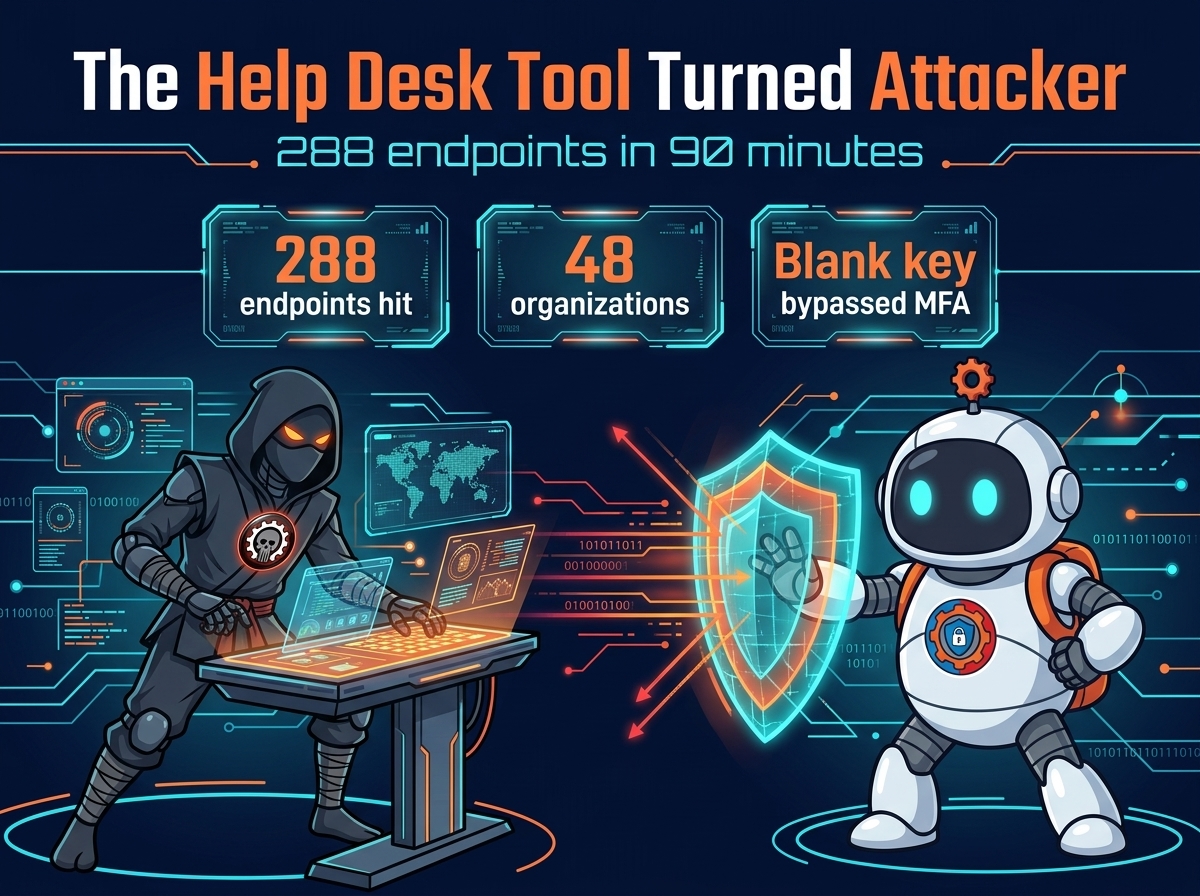
ScreenConnect is the tool your IT team uses to fix your computer from miles away. On Tuesday, attackers turned it into a delivery system for a worm — and in 90 minutes, it had reached 288 computers across 48 organizations.
Huntress says it began around 12:47 p.m. Eastern on Tuesday, November 11, when an operator with access to several cloud-hosted panels started pushing commands to groups of endpoints at once. About a third of the 288 hosts were hit in the first ten minutes. The commands ran as SYSTEM — the highest privilege on a Windows machine — and they installed a toolkit Huntress calls SCKit, a 16-file package built to spread.
The way in was a blank password
The entry point was a third-party add-on called RMM+, according to Huntress. Versions 1.0.31 and 1.0.32 let another tool manage ScreenConnect sessions without a technician at the console, using a shared access key stored in the extension’s settings. The problem: if an administrator had never set that key, the extension accepted a blank one. RMM+ bypasses ScreenConnect’s user accounts, roles, and multi-factor authentication, so a blank key was a key to the whole panel. The attack commands appear in the logs linked to RMM+, with no login activity — the operator never signed in.
ConnectWise flagged five add-ons — Labtech Plus, RMM Plus, RMM+, RMM Plus Password Link, and RMM+ Password Link — and found about 400 partner environments with at least one installed. It disabled the extensions on its hosted environments; on-premises customers have to disable them themselves. The company says an extension’s presence alone does not prove compromise — but every partner with one installed should assume it needs checking.
What the worm does once it’s in
The infection runs in a tight sequence: the operator uses ScreenConnect’s Run Command feature to send the same commands to many endpoints at once. Each machine checks for an existing client, then downloads an attacker-controlled installer to C:\Windows\TEMP\sc.msi and installs it silently. A dropper lands in the Temp folder, fetches a decoder, and pulls down a SCKit package encrypted for that machine.
The kit unpacks into C:\ProgramData\RelayTrap, sets up a scheduled task called TrapWatch, compiles RelayTrap.exe, and adds Defender exclusions. Then it stops the legitimate client, sets it to manual, and puts the attacker’s copy in its place. From the outside, the machine still has ScreenConnect — it just answers to someone else now. Sophos tracked the same campaign and found at least three hijacked ScreenConnect environments with separate IDs launching the attacks.

The spread it was built for — and hasn’t managed yet
SCKit was designed to go further. Huntress’s code analysis shows it waits for a technician to connect to an infected machine, then — 2.5 seconds later — pulls a dropper onto the technician’s workstation. That dropper is built to steal the technician’s ScreenConnect session cookie, replay it against the panel, and use the Shared Toolbox to push a payload to every session that technician can reach — as SYSTEM on each one. One infected endpoint, one curious technician, and the worm walks the whole client list.
But Huntress has not seen that jump work. The console-takeover attempt failed in every recovered host log the team has checked. The designers built the spread; it has not been observed succeeding. That is good news — and a warning. The capability is sitting in the code, waiting for a technician to connect to the wrong machine at the wrong time.
It is the second time this has happened. In September, Huntress saw similar worm-like activity, and ConnectWise later patched a critical file-transfer flaw, CVE-2026-84869, rated 9.9. This week’s attack hit the most current versions — 26.6.6.9747 and 26.7.6.9783 — through an extension, not the product. It is the same trusted-access pattern behind the N-able N-central zero-days and the Qubole breach: the tool that lets one technician touch a thousand machines lets one attacker touch a thousand machines.
What to do now
If you run ScreenConnect, check your environment now — even without an alert. Look for unexpected mass activity in Run Command and Toolbox history, and check for a second, unauthorized ScreenConnect client. If you suspect a host is affected, do not connect to it through ScreenConnect — use EDR live response, WinRM, or another out-of-band tool. An interactive session is exactly what the worm is waiting for. If a technician already connected to a suspected host, treat that workstation as exposed.
Isolate the host and keep it isolated until cleanup is done; affected systems have reinfected shortly after isolation was lifted. Remove the rogue client and its persistence: the TrapWatch task, C:\ProgramData\RelayTrap\, the toolkit files in Temp, and a Run registry value named RelayTrapLiteAlert. Then revoke what may have been exposed: terminate active ScreenConnect sessions, rotate credentials, and revoke browser and identity-provider sessions too — the toolkit can steal browser session tokens. Audit the panel’s Run Command and Toolbox history and hunt with your SIEM. Don’t return a host to service until the rogue client and its persistence are gone and the system has been checked for reinfection.

The fix list is short, and the window is now
Huntress is publishing indicators of compromise, including the attacker’s server at 185.99.255.28 and two rogue client IDs, as the attack is still being tracked. The fix list is short: disable the extensions, check the panels, keep your technicians off the infected machines until the worm is out.
One thought on “The Help Desk Tool Turned Attacker. 288 Endpoints in 90 Minutes.”