








Still Packaging MSI Applications as Win32 Apps in Intune? Here’s Why I Do.
When deploying applications with Microsoft Intune, one question comes up regularly:
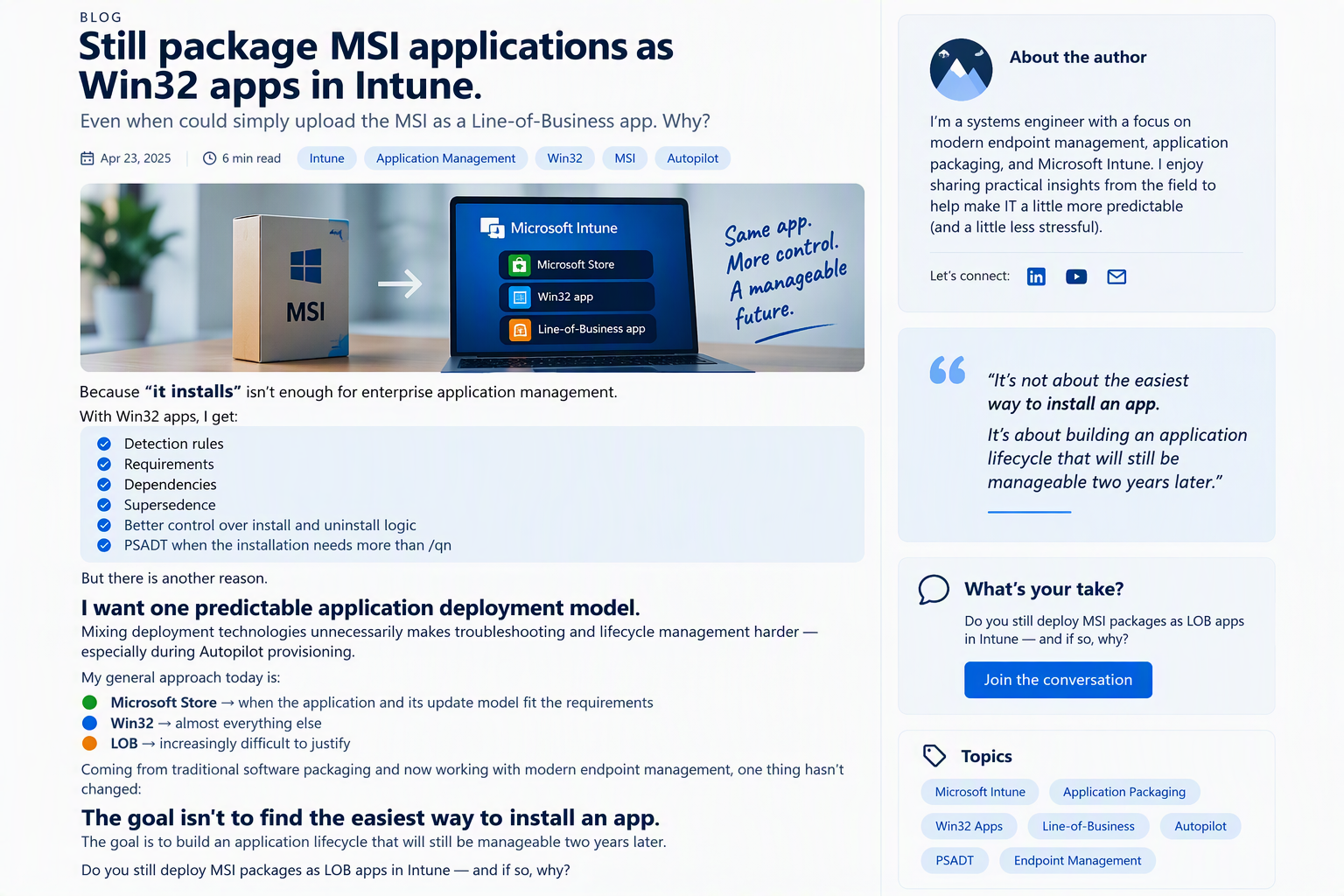
Why package an MSI application as a Win32 app when Intune can install it directly as a Line-of-Business (LOB) app?
The short answer is simple:
Because “it installs” is not the same as “it is manageable.”
In enterprise environments, application deployment is only one part of the overall lifecycle. The real value comes from the ability to control, maintain, troubleshoot, and evolve deployments over time.
Why Win32 Apps Remain My Preferred Approach
Packaging an MSI as a Win32 application provides capabilities that go far beyond a basic installation.
With Win32 apps, I gain access to:
- Detection rules
- Requirement rules
- Application dependencies
- Supersedence relationships
- Enhanced install and uninstall control
- PowerShell App Deployment Toolkit (PSADT) support when a simple
/qnis not enough
These features allow deployments to be tailored to real-world enterprise requirements instead of relying solely on the installer’s default behavior.
Whether handling complex prerequisites, custom uninstall routines, or phased application upgrades, Win32 applications provide significantly more flexibility than traditional LOB deployments.
Consistency Matters
There is another reason I continue to package MSI applications as Win32 apps:
I want one predictable application deployment model.
The more deployment technologies introduced into an environment, the more variables administrators must account for during troubleshooting and lifecycle management.
This becomes particularly important during:
- Windows Autopilot provisioning
- Application remediation
- Version upgrades
- Device rebuilds
- Co-management transitions
Using a consistent deployment strategy helps reduce complexity and makes support processes easier to standardize across the organization.
My General Application Deployment Strategy
Today, my approach is relatively straightforward:
* Microsoft Store Apps
Use when the application, update cadence, and management model align with organizational requirements.
* Win32 Apps
Use for almost everything else.
The flexibility, control, and lifecycle management capabilities make Win32 applications the most versatile deployment option in Intune.
* Line-of-Business Apps
Increasingly difficult to justify outside of very specific use cases.
While LOB apps still have their place, they often lack the advanced management features available through Win32 packaging.
The Real Goal Isn’t Installation
Coming from a traditional software packaging background and now working in modern endpoint management, one principle has remained unchanged:
The goal is not to find the easiest way to install an application.
The goal is to build an application lifecycle that will still be manageable two years from now.
A deployment method that saves a few minutes today can create significant operational challenges later when updates, troubleshooting, dependencies, and device provisioning enter the picture.
For many organizations, standardizing on Win32 applications creates a more scalable and predictable management experience over the long term.
Final Thoughts
As Microsoft Intune continues to evolve, Win32 applications remain the deployment model that offers the greatest control and flexibility for enterprise application management.
The question isn’t whether an MSI can be deployed as a LOB app.
The question is whether you’ll still be happy managing it years later.
Do you still deploy MSI packages as Line-of-Business apps in Intune? If so, what scenarios make LOB the better choice in your environment?