









Microsoft Pauses KB5002907 Update After Office License Deactivations
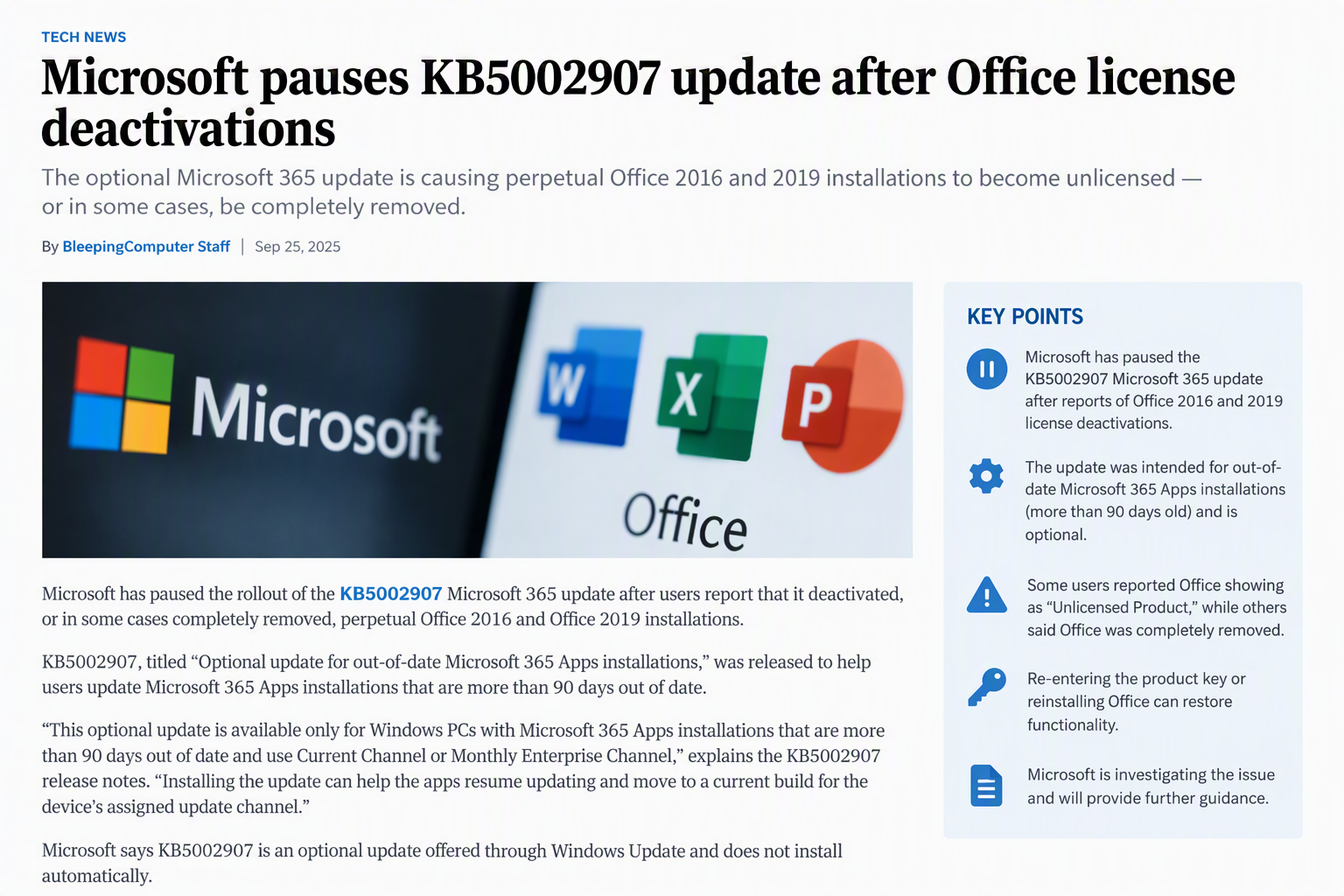
Microsoft has temporarily paused the rollout of the KB5002907 update after reports surfaced that the update was unexpectedly deactivating, and in some cases completely removing, perpetual Microsoft Office 2016 and Office 2019 installations.
The update, officially titled “Optional update for out-of-date Microsoft 365 Apps installations,” was designed to help organizations bring Microsoft 365 Apps installations that are more than 90 days out of date back onto a supported update cadence. However, IT administrators and managed service providers quickly began reporting widespread problems affecting perpetual Office licenses that were not supposed to be impacted.
What Is KB5002907?
KB5002907 was released as an optional update through Windows Update and targets systems running Microsoft 365 Apps that have fallen significantly behind on updates.
According to Microsoft, the update was intended to:
- Resume updates on Microsoft 365 Apps installations that are over 90 days out of date
- Move devices to a current build within their assigned update channel
- Support Current Channel and Monthly Enterprise Channel environments
Microsoft stated that the update does not install automatically and is offered as an optional update through Windows Update.
Reports of Office Activation Failures
Shortly after the update became available, IT professionals began reporting unexpected activation issues affecting legitimate perpetual-license versions of Office.
One of the earliest reports came from Christian Van Hautte, an MSP operator in Belgium, who observed multiple customers experiencing licensing problems within minutes of each other.
Affected systems included:
- Office 2016 Home & Business
- Office 2019 Home & Business
- Legitimately activated perpetual-license installations
Users found that Office applications suddenly displayed “Unlicensed Product” messages despite having valid licenses. In many cases, re-entering the original product key successfully restored activation.
However, some environments experienced more severe consequences.
Office Installations Removed on Some Devices
Administrators discovered that KB5002907 appears to perform a migration or reinstallation process as part of its update operation.
During this process, systems running mixed Office architectures experienced failures. Examples include:
- Office 2016 or Office 2019 32-bit installations
- Microsoft Access Runtime 64-bit components
- Other combinations of 32-bit and 64-bit Office products
Because Microsoft Office setup does not support certain mixed-bitness configurations, the reinstallation process could fail after uninstalling the existing Office suite.
The result:
- Office removed from the device
- Reinstallation process failed
- Users left without a functioning Office installation
While administrators have linked the issue to architecture mismatches, Microsoft has not officially confirmed that this is the root cause.
Community Reports Continue to Grow
Additional reports quickly appeared across Reddit, Microsoft forums, and other IT communities.
Common symptoms included:
- Office 2019 becoming deactivated overnight
- Requests to reactivate using product keys
- Requirements to sign back into Microsoft accounts and reassign licenses
- Complete removal of Office from affected devices
Several administrators reported multiple customer environments being impacted simultaneously, suggesting the issue was not isolated to a specific hardware vendor or deployment scenario.
Microsoft Responds and Pauses Deployment
Following reports from customers and inquiries from the IT community, Microsoft acknowledged the issue and halted distribution of the update.
A Microsoft spokesperson stated:
“We are aware of these reports and have paused the update while we investigate. Additional customer guidance will be communicated via appropriate channels.”
Microsoft also updated the KB5002907 support documentation to recognize the reported problems and confirmed that the rollout had been paused to prevent additional systems from being affected.
Current Guidance for Affected Organizations
Microsoft has identified two primary outcomes associated with the update:
1. Office Appears Unlicensed
If Office applications display an unlicensed status:
- Reactivate Office using the original product key
- Verify license assignment within the associated Microsoft account
- Confirm activation status through the Office Account page
2. Office Has Been Removed
In rare cases where Office has been fully removed:
- Download the original Office installation media
- Reinstall the licensed version of Office 2016 or Office 2019
- Reactivate the installation using the original product key
Recommendations for IT Administrators
Organizations should take the following precautions while Microsoft continues its investigation:
- Review update deployment policies for KB5002907
- Verify whether the update has been installed on managed devices
- Monitor activation status of Office 2016 and Office 2019 installations
- Document affected systems and activation keys
- Check for mixed 32-bit and 64-bit Office component configurations
- Delay manual installation of KB5002907 until Microsoft releases updated guidance
Final Thoughts
Although KB5002907 was intended to help outdated Microsoft 365 Apps installations return to a supported update state, it has created unexpected complications for users running perpetual Office 2016 and Office 2019 licenses. With reports ranging from activation failures to complete product removal, Microsoft has taken the prudent step of pausing deployment while engineers investigate the root cause.
For enterprise administrators, this incident serves as another reminder to thoroughly validate even optional updates before broad deployment, particularly when they interact with complex Office licensing and installation scenarios. As Microsoft’s investigation continues, administrators should closely monitor affected systems and watch for updated guidance from Microsoft regarding remediation and future rollout plans.