









SCCM Learning – Part 3: SCCM Client Communication Flow
Understanding how the SCCM client communicates with the various infrastructure components is essential for effective administration, troubleshooting, and deployment management. In this part of the SCCM Learning Series, we’ll explore the complete client communication flow and how different SCCM roles work together to deliver policies, applications, operating systems, and software updates.
Whether you’re new to Configuration Manager or looking to strengthen your troubleshooting skills, this visual guide provides a clear breakdown of the communication paths that keep your SCCM environment running smoothly.
Why SCCM Client Communication Matters
Every action performed by an SCCM client relies on communication with one or more SCCM site systems. From receiving policies and downloading applications to installing software updates and reporting compliance, each component plays a critical role.
Understanding these communication flows helps administrators:
- Troubleshoot client issues faster
- Identify bottlenecks in deployments
- Validate SCCM infrastructure health
- Improve software update compliance
- Optimize content distribution across the network
1. Client ↔ Management Point (MP): Policy & Communication Flow
The Management Point (MP) is the primary communication channel between SCCM clients and the site infrastructure.
What the Client Does
The SCCM client:
- Requests machine and user policies
- Receives configuration instructions
- Sends hardware and software inventory
- Reports compliance and status messages
What the Management Point Does
The MP:
- Delivers client policies
- Receives inventory data
- Processes status messages
- Helps clients locate content sources
Communication Flow
- Client contacts the Management Point over HTTPS (443)
- MP forwards requests to the Site Server
- Site Server processes the information
- Data is stored in the SQL Database
- Policies and instructions are returned to the client
2. Client ↔ Distribution Point (DP): Content Download Flow
The Distribution Point (DP) is responsible for storing and delivering deployment content.
Content Stored on Distribution Points
- Applications
- Packages
- Operating System Images
- Boot Images
- Driver Packages
- Software Updates
How Content Delivery Works
- Client receives deployment policy from the Management Point
- Client determines where content is located
- Client connects directly to the Distribution Point
- Required content is downloaded locally
- Installation begins
Important Note
Clients always download deployment content from the Distribution Point, not directly from the Site Server.
3. SUP/WSUS ↔ SCCM ↔ Client: Software Update Flow
Software Updates rely on multiple SCCM components working together.
Components Involved
- Microsoft Update
- WSUS / Software Update Point (SUP)
- SCCM Site Server
- Management Point
- SCCM Client
Software Update Process
- Microsoft publishes updates
- WSUS synchronizes update metadata
- SCCM imports and manages updates
- Clients scan for required updates
- Clients download update content
- Updates are installed
- Compliance status is reported back to SCCM
This process ensures that update deployments can be monitored, controlled, and reported throughout the organization.
Important SCCM Client Logs for Troubleshooting
One of the most valuable troubleshooting skills is knowing which log file to review.
- Policy Processing: PolicyAgent.log
- Site Assignment & MP Discovery: LocationServices.log
- Content Access: CAS.log
- Content Downloads: ContentTransferManager.log
- Application Detection: AppDiscovery.log
- Application Installation: AppEnforce.log
- Package & Program Execution: ExecMgr.log
- Software Update Agent Activity: WUAHandler.log
- Software Update Deployment: UpdatesDeployment.log
- Update Installation: UpdatesHandler.log
- Hardware & Software Inventory: InventoryAgent.log
Quick Takeaway
| SCCM Component | Primary Responsibility |
|---|---|
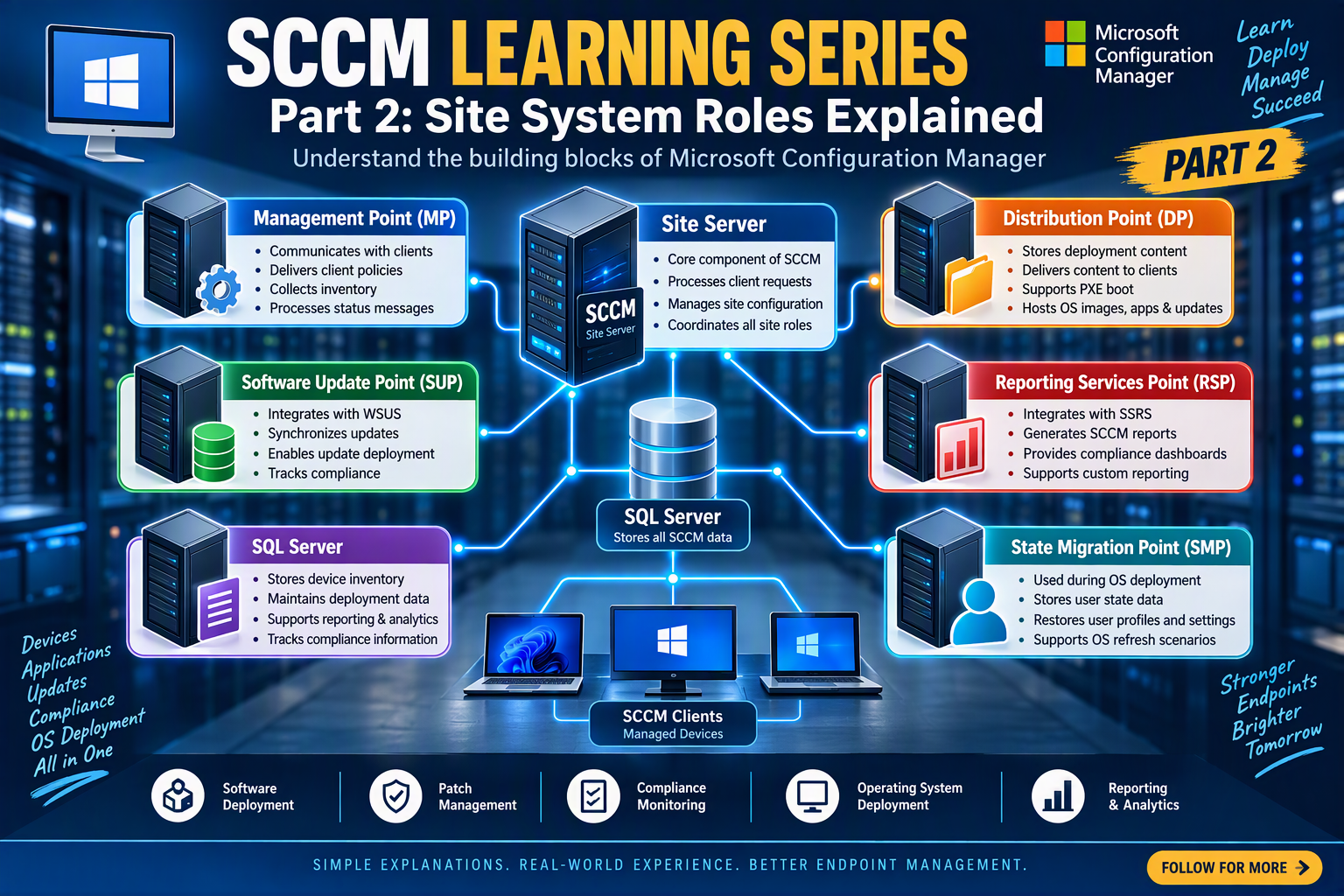
| Management Point (MP) | Policy & Client Communication |
| Distribution Point (DP) | Content Delivery |
| SUP / WSUS | Software Updates |
| Site Server | Processing & Management |
| SQL Server | Data Storage |