







Microsoft 365: Understanding the Architecture Behind the Modern Workplace
Microsoft 365 is far more than a collection of productivity applications. It is a tightly integrated cloud ecosystem that connects identity, collaboration, device management, security, and compliance into a single platform.
For IT professionals, administrators, and anyone beginning their Microsoft 365 journey, understanding how these core services work together is essential. Once you understand the architecture, troubleshooting, deployment planning, and security design become much easier.
The Microsoft 365 Foundation
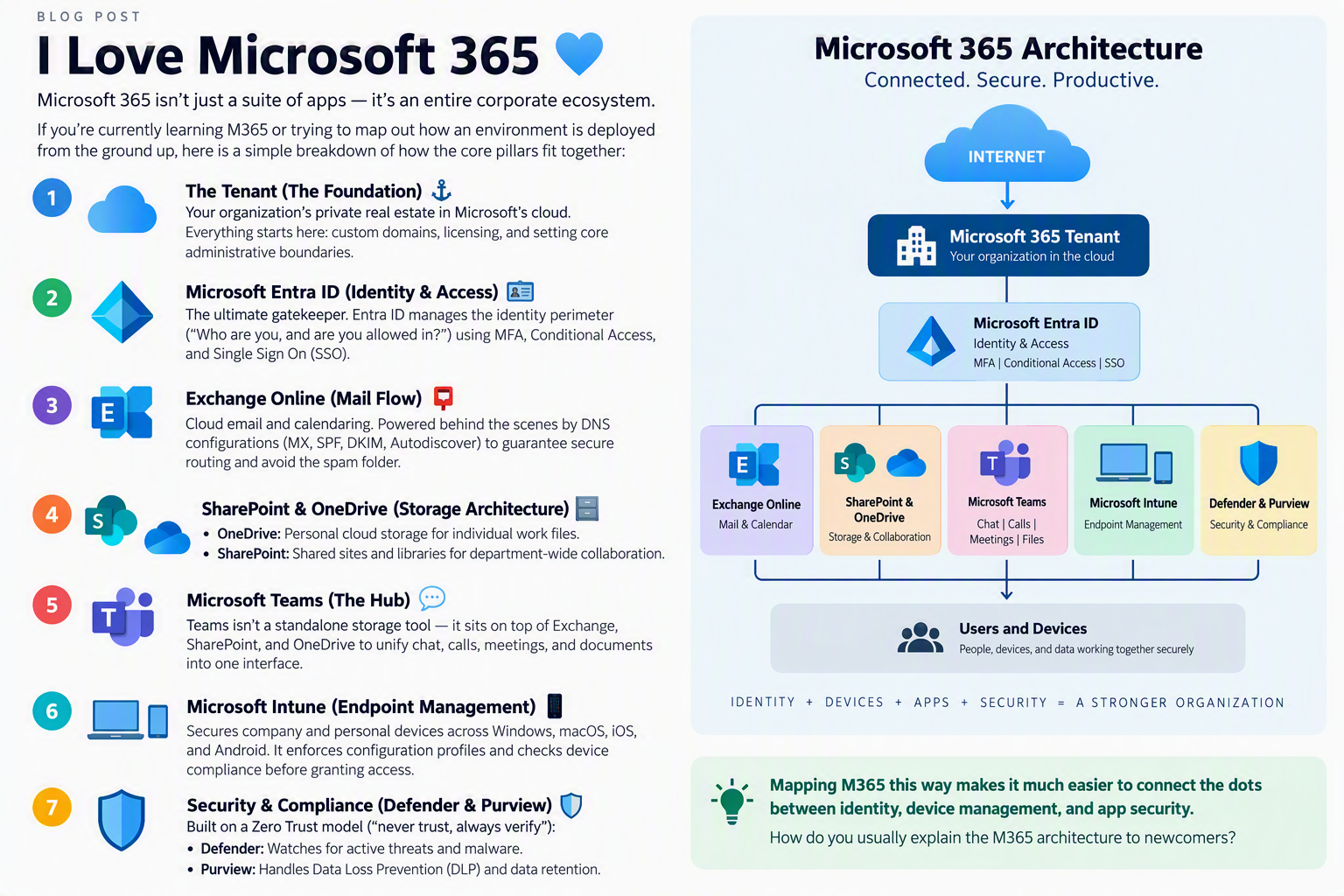
Every Microsoft 365 environment starts with a tenant. Think of the tenant as your organization’s dedicated space within Microsoft’s cloud.
The tenant serves as the foundation for:
- User accounts
- Licensing
- Custom domains
- Administrative boundaries
- Security configurations
- Microsoft 365 services
Everything else in the environment is built on top of this foundation.
Microsoft Entra ID: The Identity Layer
Identity is at the center of every modern Microsoft 365 deployment.
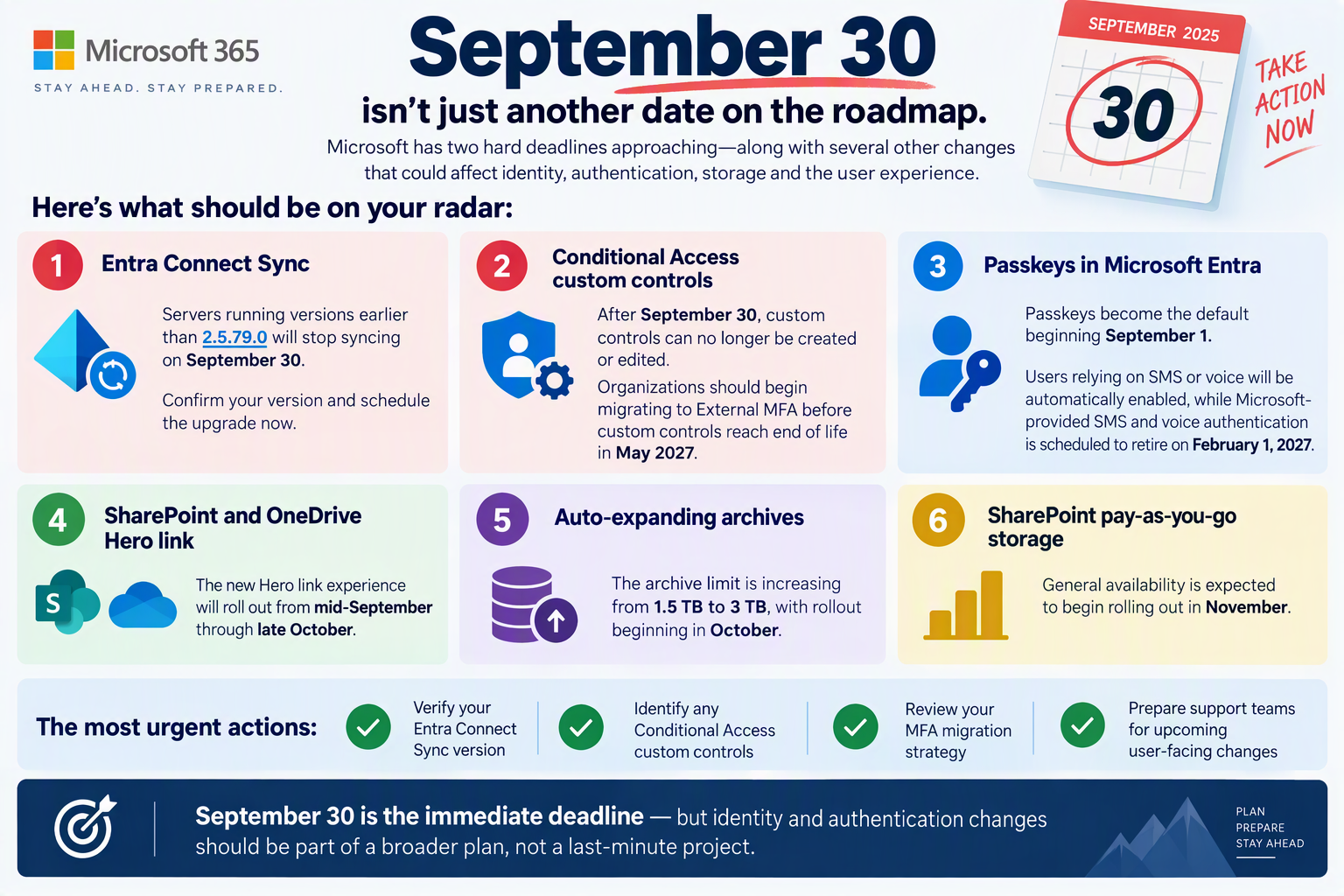
Microsoft Entra ID (formerly Azure Active Directory) acts as the gatekeeper for all users, applications, and resources. Before anyone accesses email, Teams, SharePoint, or corporate data, Entra ID determines whether access should be granted.
Key capabilities include:
- Multi-Factor Authentication (MFA)
- Conditional Access policies
- Single Sign-On (SSO)
- User and group management
- Identity Protection
- Privileged Identity Management (PIM)
In a Zero Trust environment, identity is often considered the new security perimeter.
Exchange Online: The Communication Engine
Email remains one of the most critical business workloads, and Exchange Online powers communication across the organization.
Exchange Online provides:
- Business email
- Calendars
- Contacts
- Shared mailboxes
- Resource scheduling
Behind the scenes, proper DNS configuration is critical for secure mail delivery:
- MX Records
- SPF
- DKIM
- DMARC
- Autodiscover
When configured correctly, these components help protect against spoofing, improve deliverability, and ensure reliable communication.
SharePoint Online and OneDrive: The Storage Platform
Microsoft 365 storage is built on two closely connected services.
OneDrive for Business
OneDrive provides personal cloud storage for individual users.
Common use cases include:
- Personal work files
- Draft documents
- Temporary project data
- Secure file sharing
SharePoint Online
SharePoint serves as the organization’s collaboration backbone.
It provides:
- Team sites
- Department portals
- Document libraries
- Intranets
- Shared content repositories
A simple way to explain the difference:
OneDrive is for “my files.”
SharePoint is for “our files.”
Microsoft Teams: The Collaboration Hub
Many people think Teams is a standalone application, but it actually sits on top of several Microsoft 365 services.
When users collaborate in Teams:
- Chats and calendars leverage Exchange Online.
- Files are stored in SharePoint Online.
- Personal file sharing utilizes OneDrive.
- Authentication is handled by Entra ID.
Teams acts as a unified interface that brings communication and collaboration together in one place.
This integration is one of the reasons Teams has become the central workspace for many organizations.
Microsoft Intune: Endpoint Management
With employees working from multiple locations and devices, endpoint management has become a critical requirement.
Microsoft Intune helps organizations manage and secure:
- Windows devices
- macOS devices
- iPhones and iPads
- Android devices
Administrators can:
- Deploy configuration profiles
- Enforce security policies
- Manage applications
- Monitor compliance status
- Protect corporate data on personal devices
Intune works closely with Entra ID and Conditional Access to ensure that only trusted and compliant devices can access organizational resources.
Security and Compliance: Defender and Purview
Modern cybersecurity requires a layered approach, and Microsoft 365 includes powerful security and compliance solutions built directly into the platform.
Microsoft Defender
Microsoft Defender provides protection against threats such as:
- Malware
- Phishing attacks
- Ransomware
- Suspicious activities
- Endpoint threats
Microsoft Purview
Microsoft Purview helps organizations govern and protect data through:
- Data Loss Prevention (DLP)
- Data classification
- Information Protection
- Retention policies
- Compliance management
Together, these services help organizations implement a Zero Trust security model based on the principle:
Never trust. Always verify.
Connecting the Dots
When viewed as a complete ecosystem, Microsoft 365 becomes easier to understand:
- Tenant = Foundation
- Entra ID = Identity & Access
- Exchange Online = Communication
- SharePoint & OneDrive = Storage
- Teams = Collaboration Hub
- Intune = Device Management
- Defender & Purview = Security & Compliance
Each service has a specific role, but their real strength comes from the way they work together.
Understanding these relationships helps IT professionals troubleshoot issues faster, design more secure environments, and build scalable solutions for modern workplaces.
Microsoft 365 is not simply a suite of apps. It is a connected ecosystem where identity, devices, applications, collaboration, and security all work together to support the modern enterprise.