







Intune Admin? Knowing Intune Alone Is Not Enough
Modern endpoint management is no longer limited to deploying policies and managing devices through Microsoft Intune. In today’s enterprise environments, successful endpoint administrators must understand how multiple Microsoft technologies work together to deliver secure, compliant, and productive user experiences.
Many IT professionals focus heavily on learning Intune, but when real-world issues arise, troubleshooting often extends well beyond the Intune portal. Enrollment failures, application deployment problems, compliance issues, and authentication errors frequently involve integrations with Entra ID, Microsoft 365, Configuration Manager, Autopilot, and Microsoft Defender.
To become a truly effective Intune Administrator, it is important to understand the entire Microsoft endpoint ecosystem.
Why Intune Is Only One Piece of the Puzzle
Microsoft Intune serves as the central platform for modern endpoint management, but it relies heavily on several other services working together behind the scenes.
A successful administrator must understand:
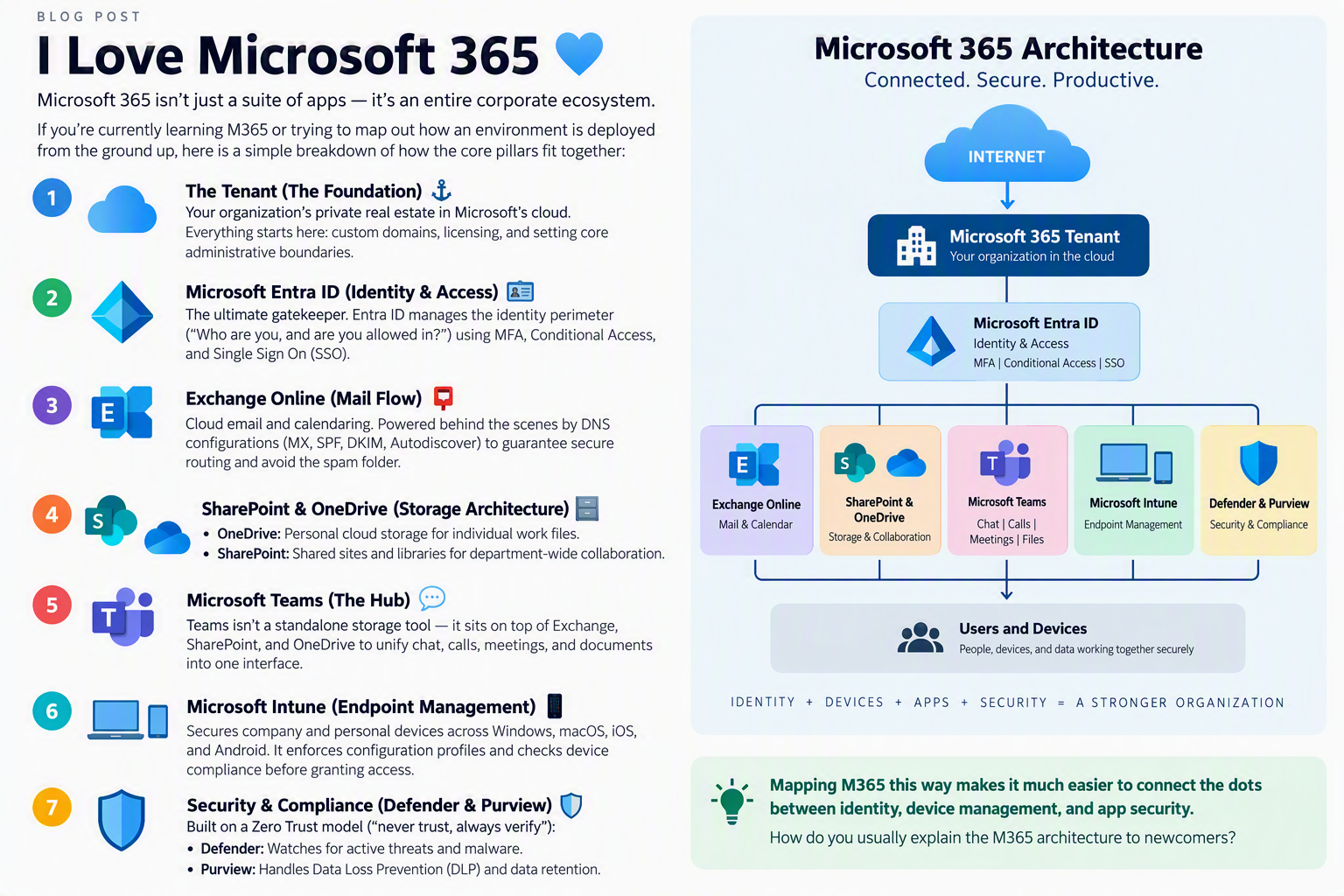
Microsoft Entra ID (Azure AD)
Entra ID provides the identity foundation for modern device management.
Key areas include:
- User and device identities
- Group management
- Conditional Access policies
- Device registration and join types
- Single Sign-On (SSO)
- Role-Based Access Control (RBAC)
Without a solid understanding of identity and access management, many Intune issues become difficult to diagnose.
Microsoft 365 & Purview
Intune-managed devices are often gateways to Microsoft 365 services.
Understanding the relationship between endpoint management and productivity services helps administrators manage:
- Exchange Online
- SharePoint Online
- OneDrive
- Microsoft Teams
- Microsoft 365 Apps
- Data Loss Prevention (DLP)
- Compliance and information protection
Managing devices effectively means ensuring secure access to organizational resources.
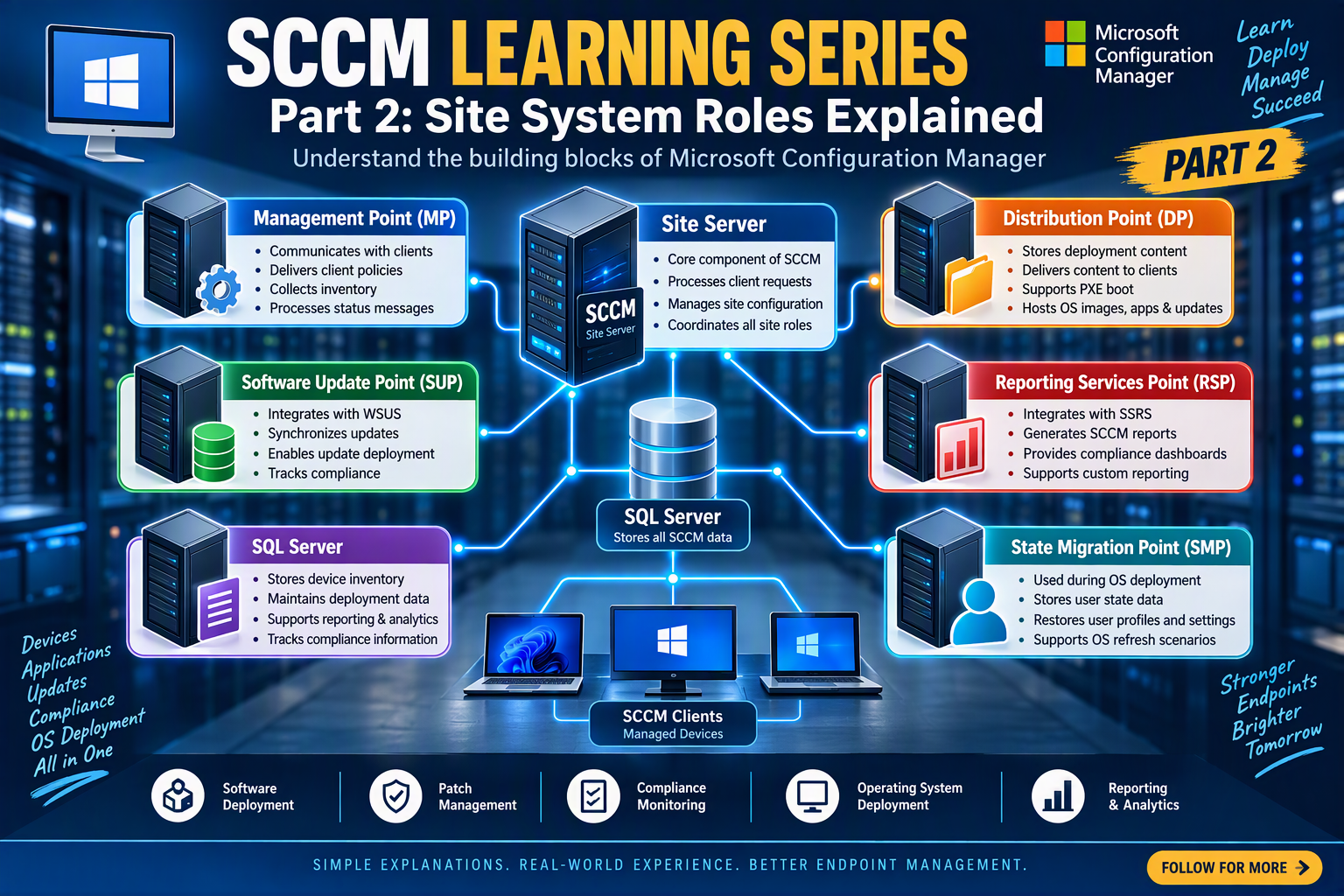
SCCM / Configuration Manager & Co-Management
Many enterprises continue to operate hybrid environments where Intune and Configuration Manager work together.
Important concepts include:
- Co-management
- Workload transitions
- Patch management
- Software deployment
- Inventory and reporting
- Operating system deployment
- Legacy device management
Organizations rarely move entirely to cloud management overnight, making hybrid knowledge extremely valuable.
Windows Autopilot
Windows Autopilot has transformed device provisioning by enabling zero-touch deployment experiences.
Administrators should understand:
- Device registration
- Deployment profiles
- Enrollment Status Page (ESP)
- Hybrid and cloud-native deployments
- User-driven provisioning
- Device lifecycle management
Autopilot and Intune together create the modern onboarding experience expected in today’s workplace.
Microsoft Defender
Security is now deeply integrated into endpoint management.
Modern administrators should be comfortable working with:
- Microsoft Defender for Endpoint
- Endpoint Detection and Response (EDR)
- Vulnerability management
- Security baselines
- Attack Surface Reduction (ASR) rules
- Threat investigation and remediation
Device management and security can no longer be treated as separate disciplines.
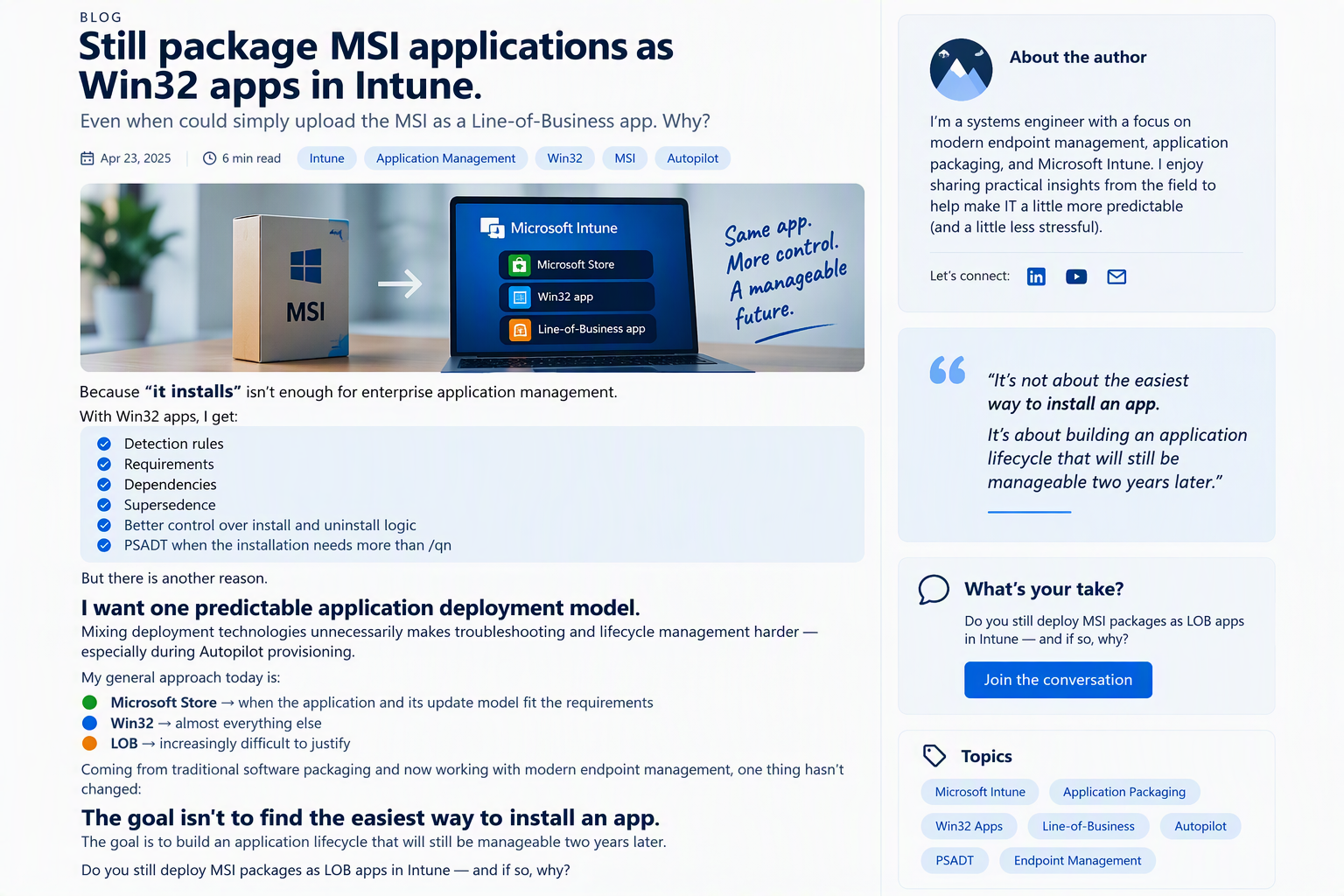
Application Deployment & Packaging
One of the most common responsibilities for endpoint administrators is application deployment.
Skills that matter include:
- Win32 packaging
- Microsoft Store applications
- MSI deployments
- Detection rules
- Supersedence
- Dependency management
- Third-party patching
- PowerShell deployment scripts
Application troubleshooting is often where enterprise experience is developed the fastest.
Security & Compliance
Organizations expect managed devices to meet strict security standards.
Critical knowledge areas include:
- Compliance policies
- Device health monitoring
- Encryption management
- Conditional Access integration
- Security baselines
- Regulatory compliance requirements
Security and compliance work together to reduce organizational risk.
Policies, Remediations & Troubleshooting
The most valuable Intune administrators are not the ones who simply deploy policies. They are the ones who can quickly identify and resolve issues when things go wrong.
Essential troubleshooting skills include:
- Enrollment diagnostics
- Device sync failures
- Policy conflicts
- Application deployment errors
- Autopilot troubleshooting
- Defender onboarding issues
- Conditional Access troubleshooting
- Windows event log analysis
- PowerShell remediations
Real-world environments require a methodical troubleshooting mindset.
The Difference Between a Beginner and an Enterprise Intune Administrator
A beginner knows how to create a configuration profile.
An enterprise Intune Administrator understands how Intune interacts with:
- Microsoft Entra ID
- Microsoft 365
- Microsoft Defender
- Windows Autopilot
- Configuration Manager
- Security and compliance frameworks
- Enterprise application deployment processes
The ability to connect these technologies together is what separates administrators who manage devices from those who manage modern workplace ecosystems.
Final Thoughts
If your goal is to succeed as an Intune Administrator in a production environment, learning Intune alone is not enough. The real value comes from understanding how identity, security, device management, productivity services, and endpoint protection all work together.
Master the ecosystem, not just the tool.
The administrators who understand the complete Microsoft endpoint stack troubleshoot faster, secure environments more effectively, and deliver a better experience for users across the organization.